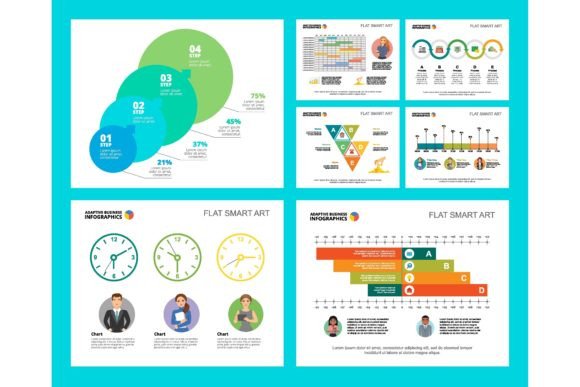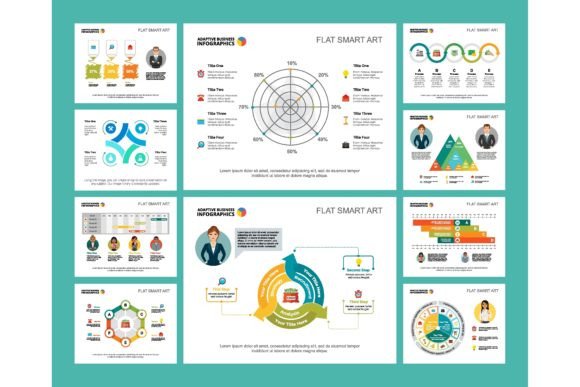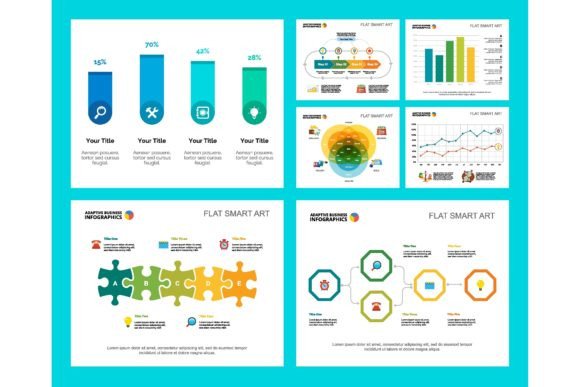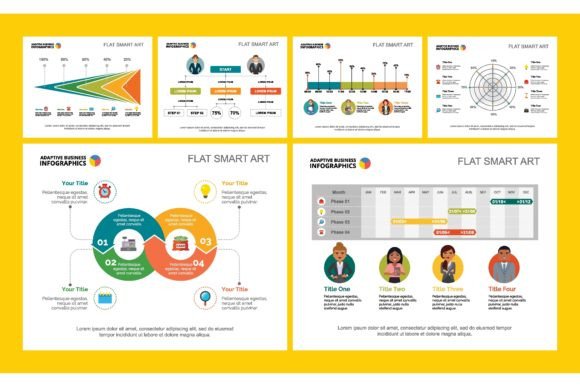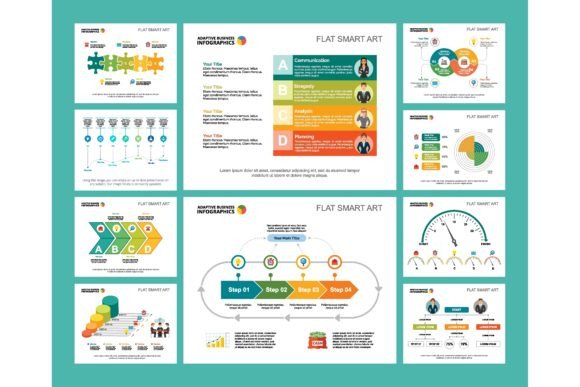
Colorful Strategy Infographics: Communicating Complex Ideas with Simple Visuals
In a world overflowing with data and dense strategy documents, the ability to cut through the noise is a superpower. A Colorful Startup or Strategy Concept Infographic isn’t just a collection of charts and icons. It’s a visual translation device. It takes the intricate, often jargon-heavy plans of a business—your growth projections, your market analysis, your operational workflow—and transforms them into an engaging, understandable story. These vibrant chart sets and design elements are the bridge between a founder’s vision and an investor’s understanding, between a manager’s process and a team’s execution.
Where Silence Fails, Visuals Speak
Imagine you’re pitching your startup to a potential angel investor. You have ten minutes. You could hand them a twelve-page business plan. Or, you could guide them through a single, well-designed slide. This slide uses a colorful market segmentation chart to show who your customers are, a bold financial projection graph to outline your path to profitability, and a clean workflow layout to explain how your service works. The infographic doesn’t just show data; it shows confidence, clarity, and command of your concept. It answers the investor’s core questions visually and instantly, leaving more time for discussion and less time for deciphering spreadsheets.
This is the primary “where” and “why”: any situation where clarity and time are limited, but impact is essential. The boardroom, the investor meeting, the all-hands company presentation, even the client proposal. People use these visuals not because they lack words, but because words alone are inefficient at conveying structure, proportion, and relationship.
Beyond the Pitch Deck: Everyday Applications
While startup pitches are a classic use case, the application of a Colorful Strategy Concept Infographic stretches far wider. Let’s look at some realistic scenarios across different roles.
A marketer might use these elements in an internal brochure design to explain a new multi-channel campaign strategy to the sales team. A colorful funnel chart can visually assign responsibilities—awareness (social team), consideration (content team), conversion (sales team)—making abstract roles concrete.
An educator or trainer, whether in a corporate setting or online course, faces the challenge of explaining complex processes. A vibrant workflow layout infographic becomes the central reference for students learning a new software development lifecycle or a project management framework. The color-coding of different phases (blue for planning, green for execution, orange for review) aids memory and reduces cognitive load.
Freelancers and small business owners often need to justify their value and process to clients. Instead of sending a dry email describing your service steps, a single-page infographic sent as part of a proposal can illustrate your workflow, key milestones, and deliverables. It professionalizes your offering and preempts client confusion about what happens next.
Connecting Features to Real-World Outcomes
When discussing these tools, it’s easy to fall into listing features: “has pie charts, bar graphs, icons.” The real value is in the outcomes those features enable.
The use of consistent, bold color schemes isn’t just about being pretty. It creates visual anchors. In a financial report infographic, using one specific color for all revenue-related data and another for all cost data allows a reader to instantly trace a financial story across different chart types, without rereading labels. This leads to the outcome of faster comprehension and fewer misunderstandings during crucial budget reviews.
The inclusion of modular design elements—like icons for “team,” “milestone,” or “risk”—means a manager can quickly assemble a status update. They don’t need a graphic designer; they can drag, drop, and adapt. This translates to the outcome of empowering non-designers to communicate effectively, saving time and resources while maintaining a professional brand aesthetic across all internal communications.
What to Consider Before You Apply These Visuals
Jumping into using a Colorful Startup or Strategy Concept Infographic set requires a bit of forethought. The most common pitfall is letting the desire for visual appeal override the need for accuracy. The first question to ask is: Is my core data or concept solid? An infographic will magnify both the strengths and flaws of your underlying idea. A beautiful chart based on shaky assumptions will be exposed faster than a paragraph of text.
Secondly, consider your audience’s visual literacy. A highly technical team of engineers might appreciate more detailed, data-dense charts. A general public audience or a new hire might need simpler, more icon-driven visuals. Choosing the right chart set or tailoring the elements you use is about matching the visual language to the viewer’s readiness.
Finally, think about the medium. Are these for a live presentation slide template where you’ll be narrating? Then you can use slightly more complex visuals, as you’ll be there to guide. Are they for a standalone PDF financial report or printed brochure design that will be read without you? Then simplicity, clear legends, and self-contained explanations become paramount.
The Unifying Thread: From Confusion to Alignment
Whether it’s a solo entrepreneur mapping out a business model, a department head presenting annual results, or a blogger explaining a complicated concept to their readers, the benefit is fundamentally the same: alignment. A well-executed strategy infographic moves people from individual, often conflicting, understandings of a plan to a shared, collective vision. It makes the abstract tangible.
When a team looks at a colorful project timeline, they aren’t just seeing dates; they see their interdependencies. When an investor sees a portfolio of startup concept infographics, they can compare opportunities not just on numbers, but on the clarity and coherence of the founding team’s thought process. This visual alignment reduces friction, speeds up decision-making, and builds confidence—not in the graphic, but in the idea it represents.
In practice, this means less time spent in meetings clarifying what the strategy “actually means.” It means fewer emails asking for basic explanations of a workflow. It means clients and stakeholders feel more secure because they can see the path forward. The ultimate outcome of using these business design elements isn’t a prettier slide deck; it’s a more effective, focused, and unified path toward your goal, whatever that goal may be.